
See everything. Run it your way.
The business side of the practice, in the same system as the chairside one. Reporting that answers questions, books that tie out to the general ledger, the bank reconciled where the deposits were made, and security you can show an auditor. Hosted by us, or on your own hardware.
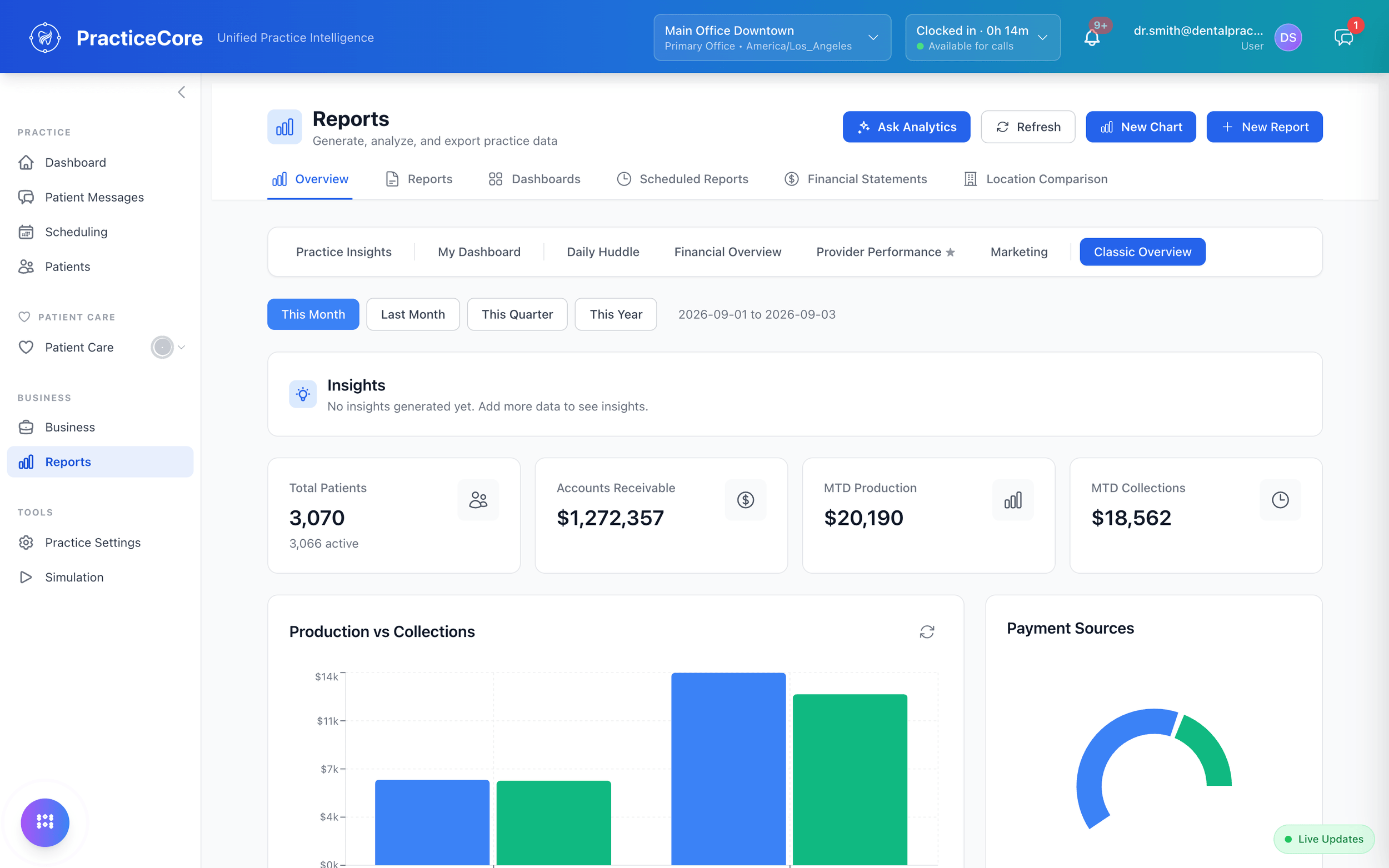
Ask it how, inside the product.
Anyone in the office types the question. The answer is the real steps and a real recording, regenerated whenever the product changes. Or ask it to do the thing.
Try it below
What matters today, for the front desk.
Arrivals, unconfirmed visits, balances to collect and messages waiting, on one screen. The day starts with a list, not a hunt.

What matters today, for the office manager.
Production, collections, staffing and the exceptions that need a decision, on one page.

What matters today, for the provider.
The patients, the production goal, the next chair. A screen the doctor can read between rooms.

A website for the practice, in eleven languages.
Built and published from the PMS. One selector switches the whole site to Spanish, Chinese, Vietnamese or Arabic, right-to-left included, with no second vendor and no second bill.

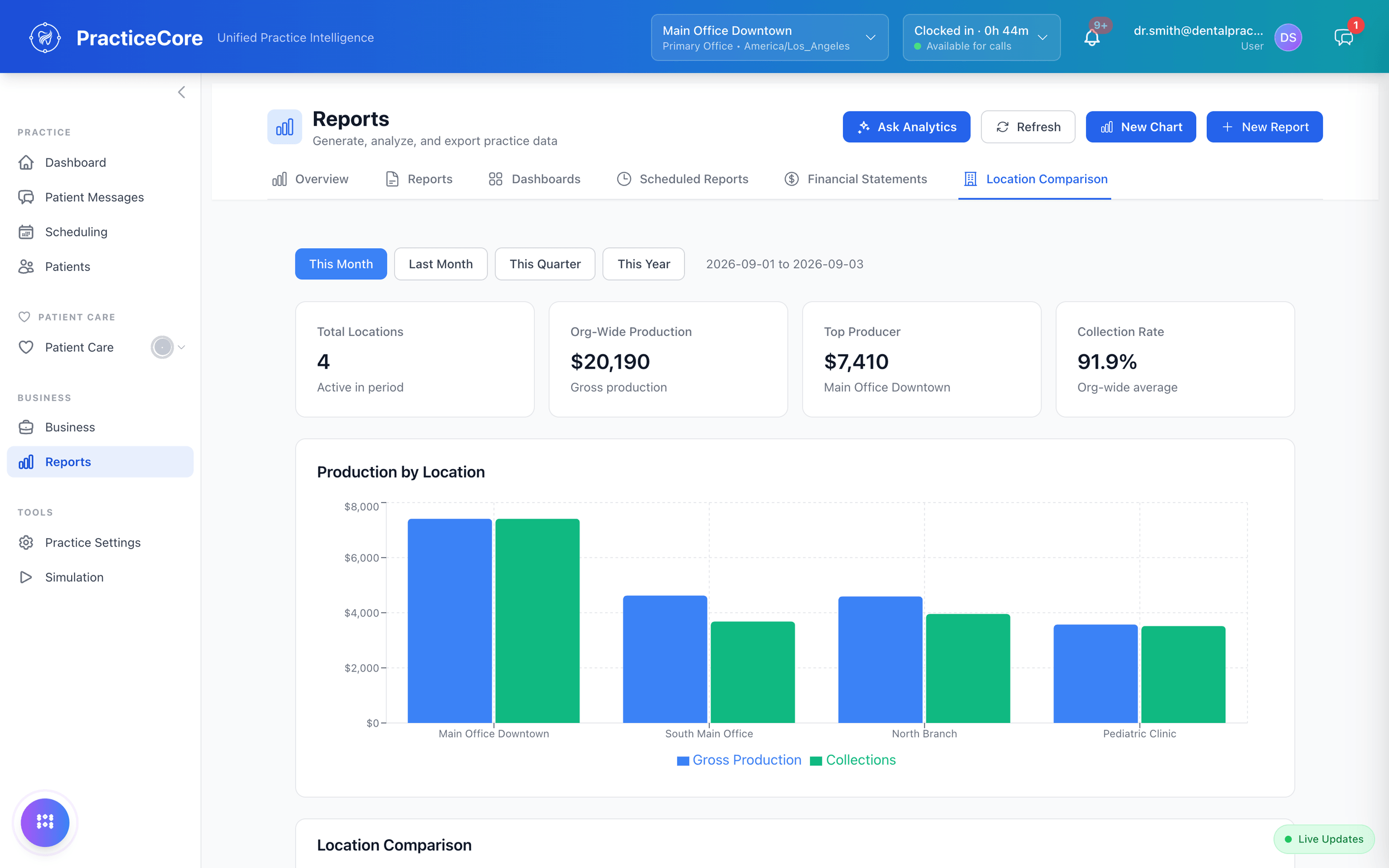
Reporting that answers questions.
Ask it in English.
What should I focus on to grow? How does production per provider compare? What is our collection rate? Ask Analytics reads the practice data and answers, with the patients, numbers and next steps attached.
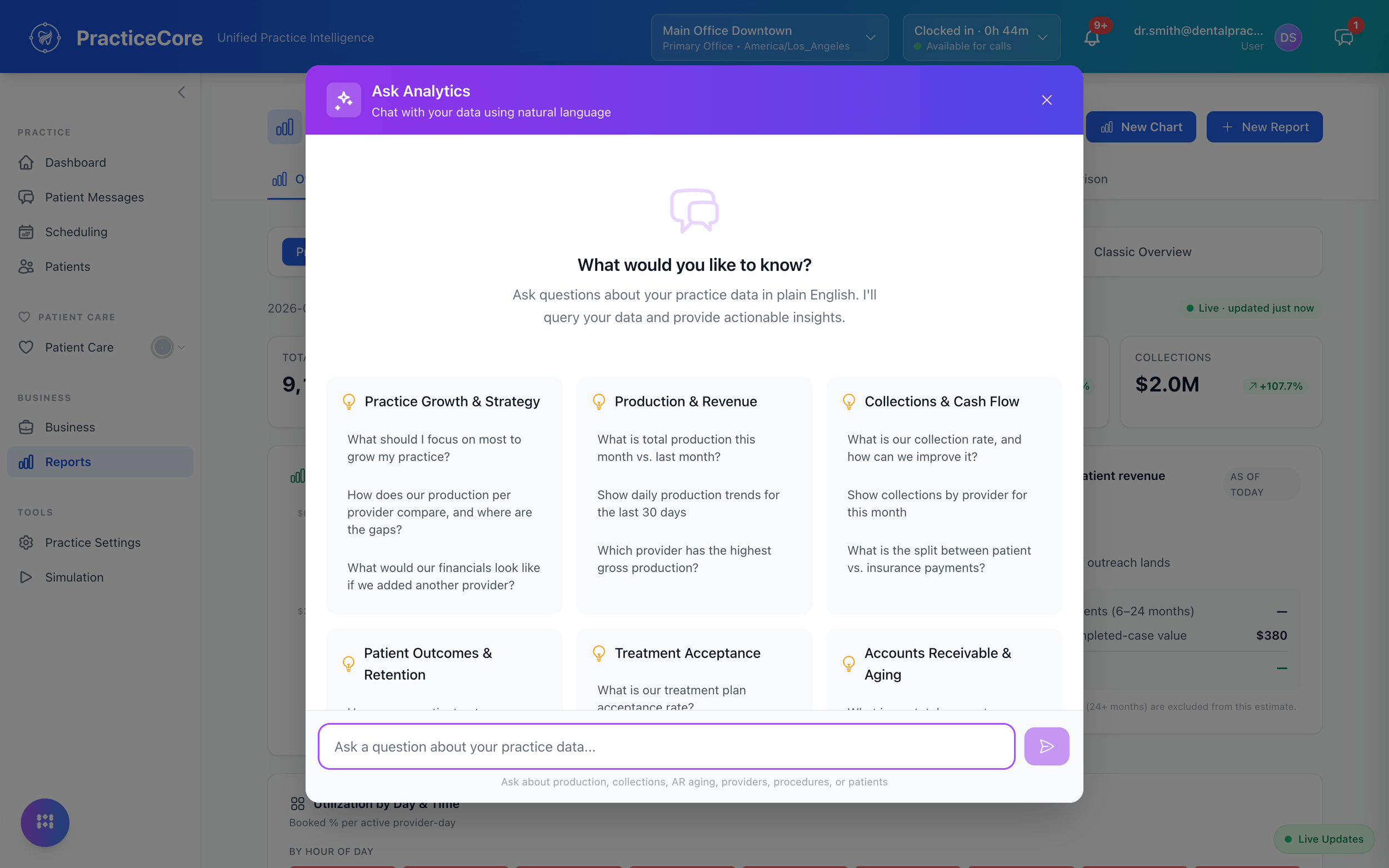
Reports you build, schedule and email.
Seventy-four to start: A/R aging, clinical, compliance, financial, marketing, data quality. Every one customizable, any of them on a schedule that lands in an inbox, and a pivot or tabular builder for the rest. Seconds to run, not days.
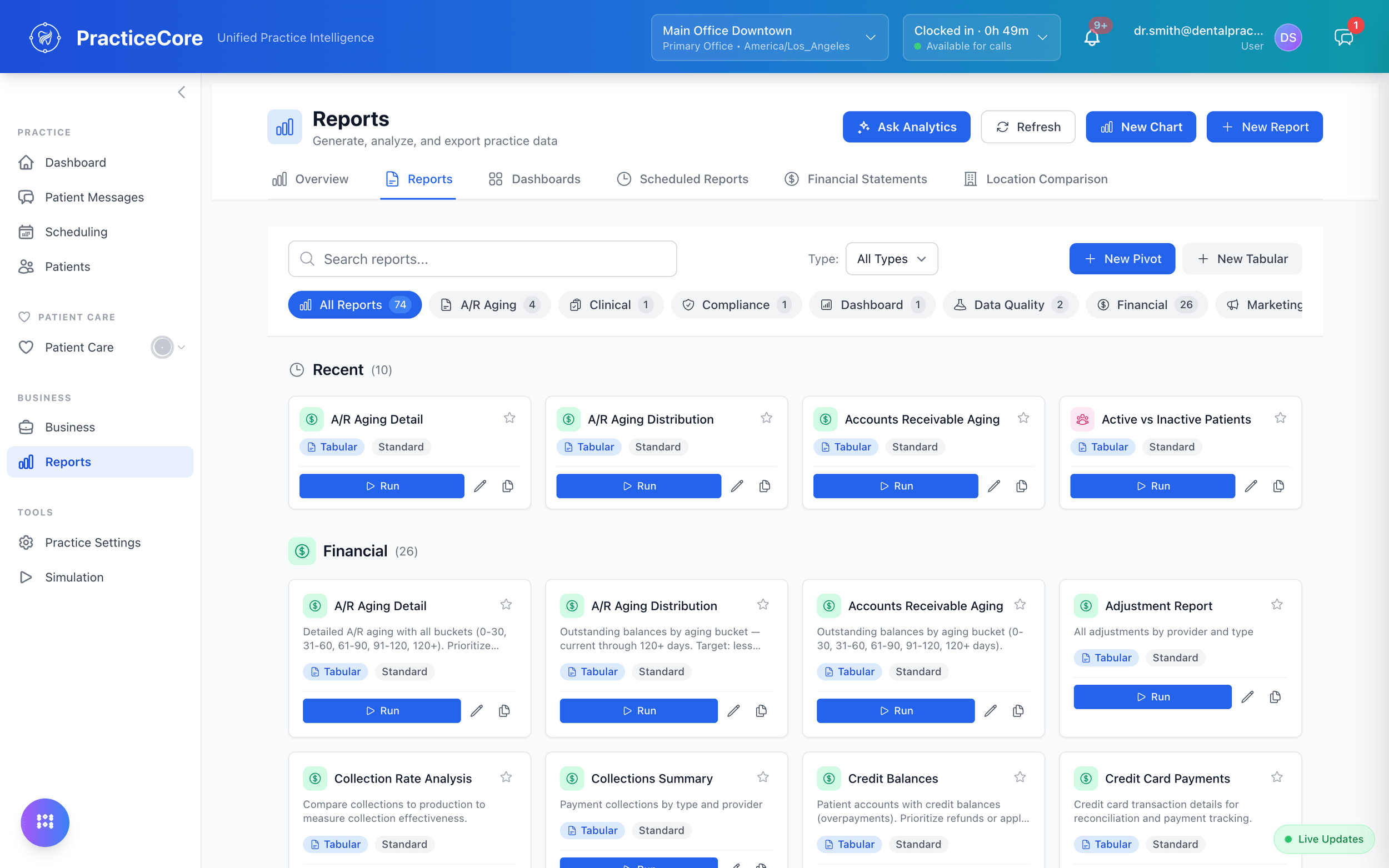
Every location, side by side.
Production, collections, collection rate and top producer by location, for any period. Drillable to a single operatory.
The books, in the same system.
A general ledger that is fed by the practice as it works, not by an export at month end.
Books that tie out, to the cent.
Production, patient and insurance collections, receivables, undeposited funds, the bank, payroll and bills paid, each compared with what the general ledger says. Where they differ, the difference is shown by office, with the items behind it one click away.
See billing and claims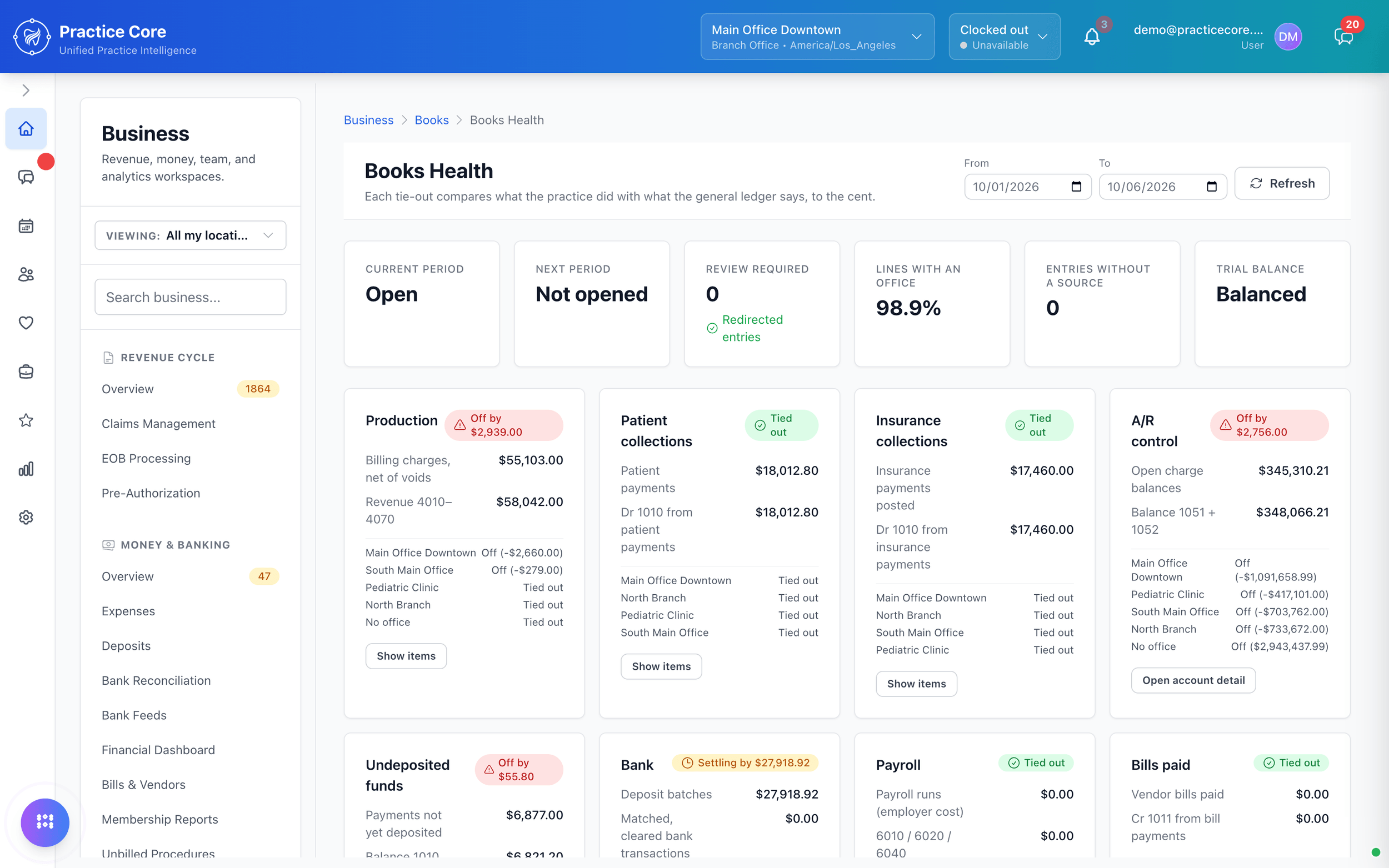
Connect the bank. Reconcile where the deposits were made.
Link the practice's bank accounts through Plaid and the transactions arrive in a feed, matched against the deposits and payments already in the system. Reconciliation is a screen in the PMS, not a spreadsheet beside it.
Periods, a journal, a trial balance.
Open and close periods, read the journal, and pull the trial balance and financial statements from the same data the front desk and the chair produce.
Attract new patients. Your website, from the PMS.
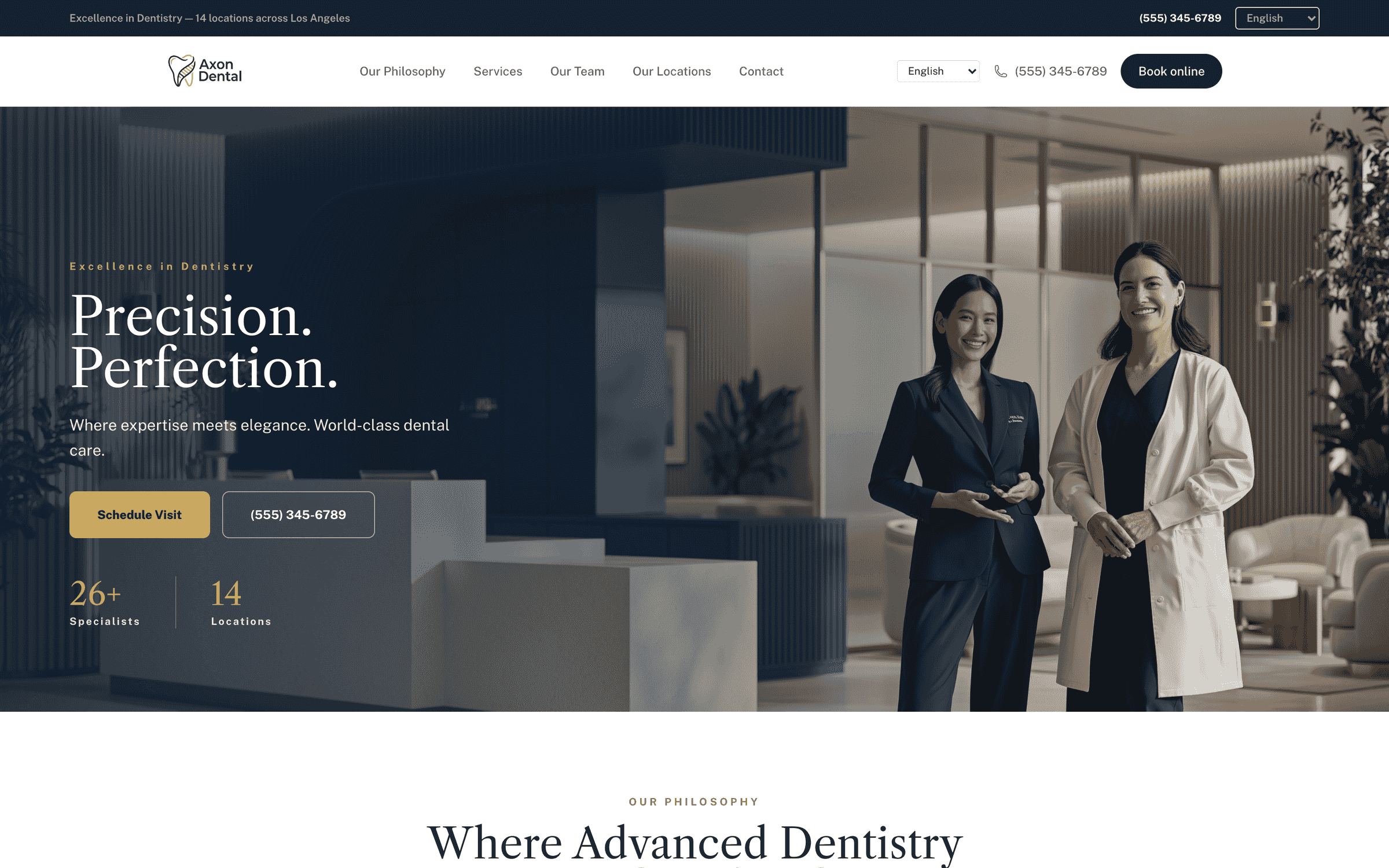
A professional, fully customizable practice website built from our templates, published to your own domain from inside the PMS, and localized into eleven languages: English, Spanish, Chinese, Vietnamese, French, Portuguese, Thai, Filipino, Russian, Arabic and Japanese.
A site a patient would choose you from.
Photography-led templates, services, team, locations, online booking and the phone number in the header. It is the practice's public face, and it is a screen inside the PMS, not a web agency's project.
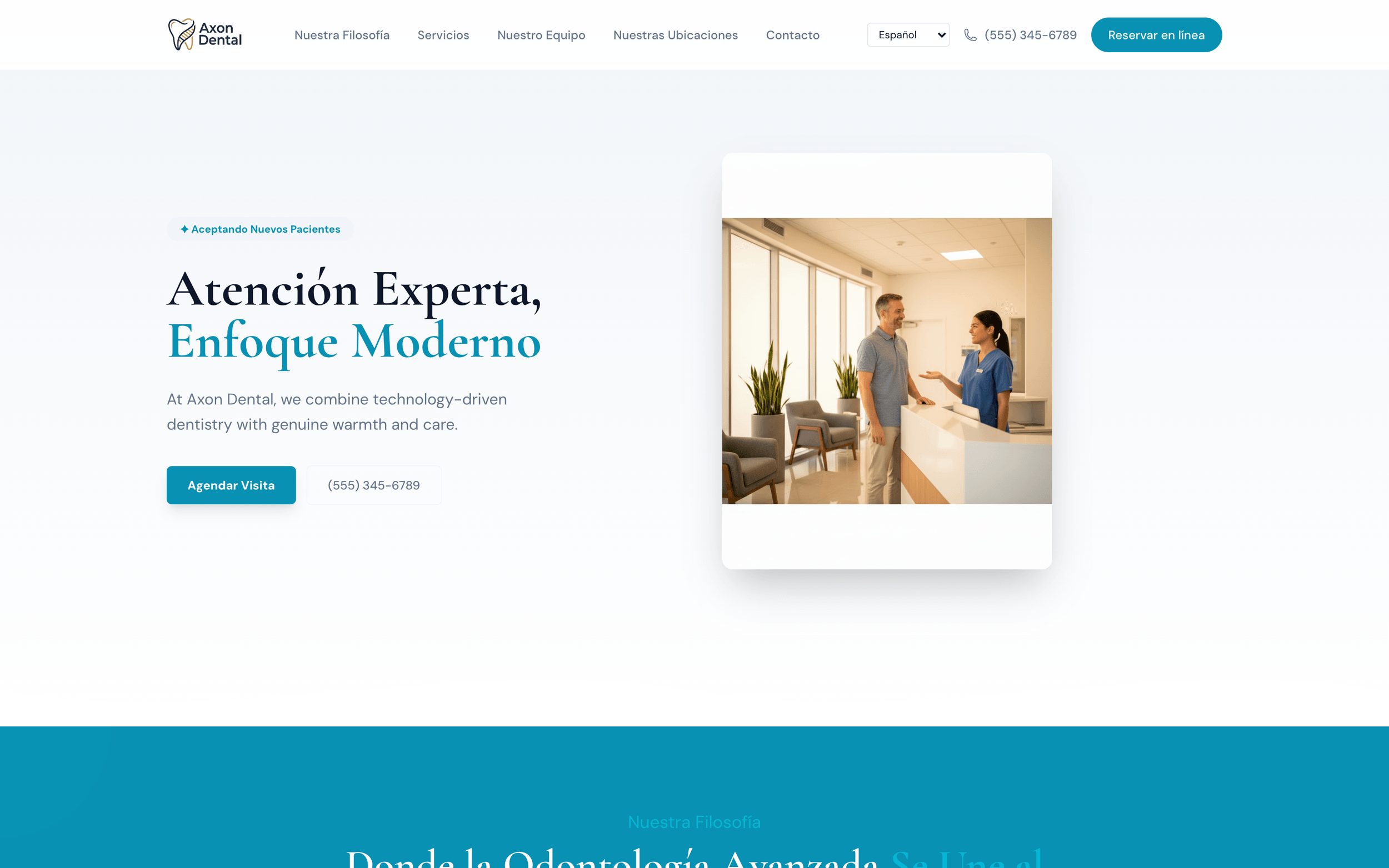
Eleven languages, one switch.
The site's navigation, pages and calls to action are localized, and the patient picks the language from the header: Spanish, Chinese, Vietnamese, French, Portuguese, Thai, Filipino, Russian, Arabic and Japanese, alongside English.
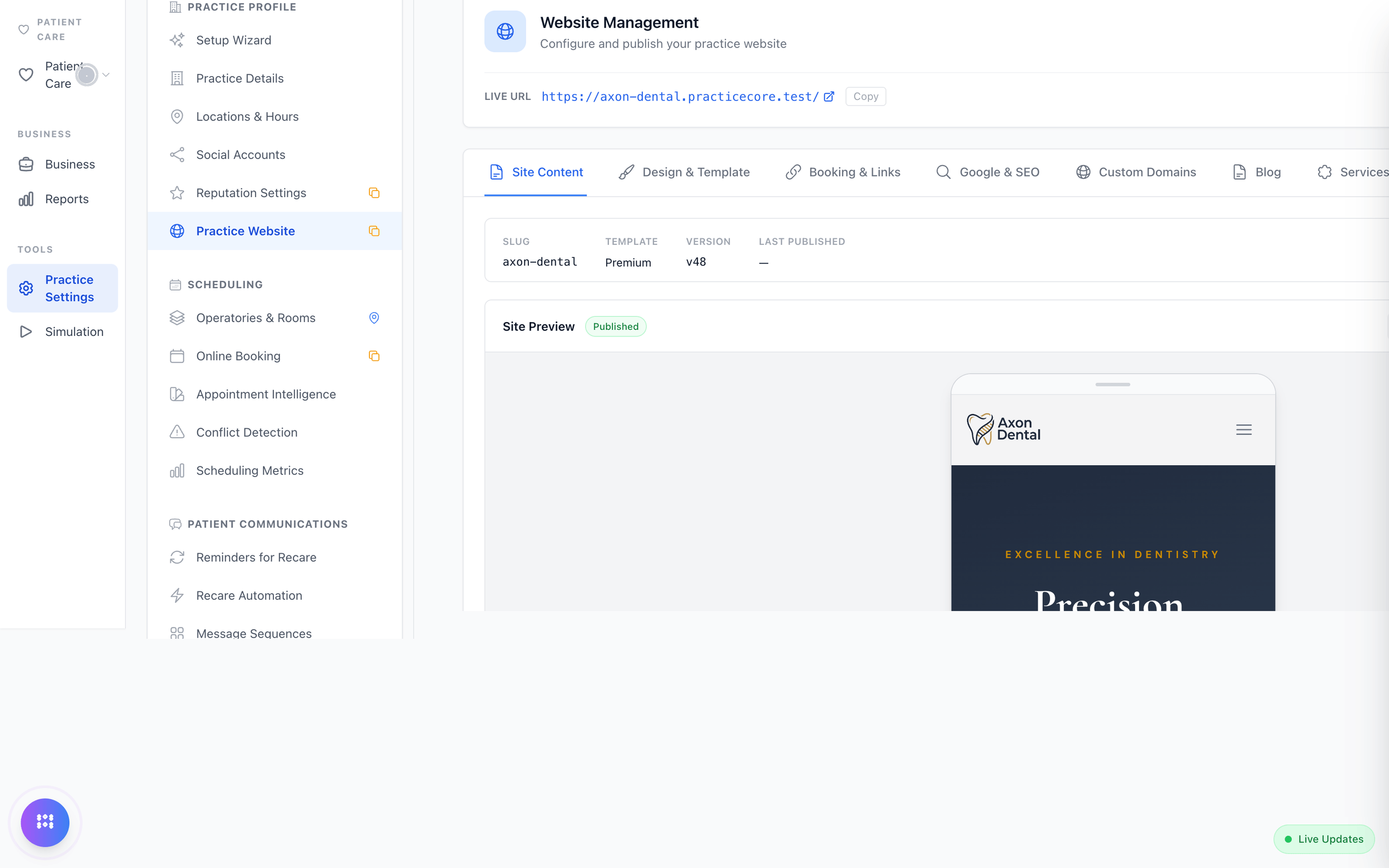
Managed where the practice is managed.
Content, design template, booking links, search settings, custom domains, a blog and a services list, edited and published from the practice settings, previewed on desktop and phone.
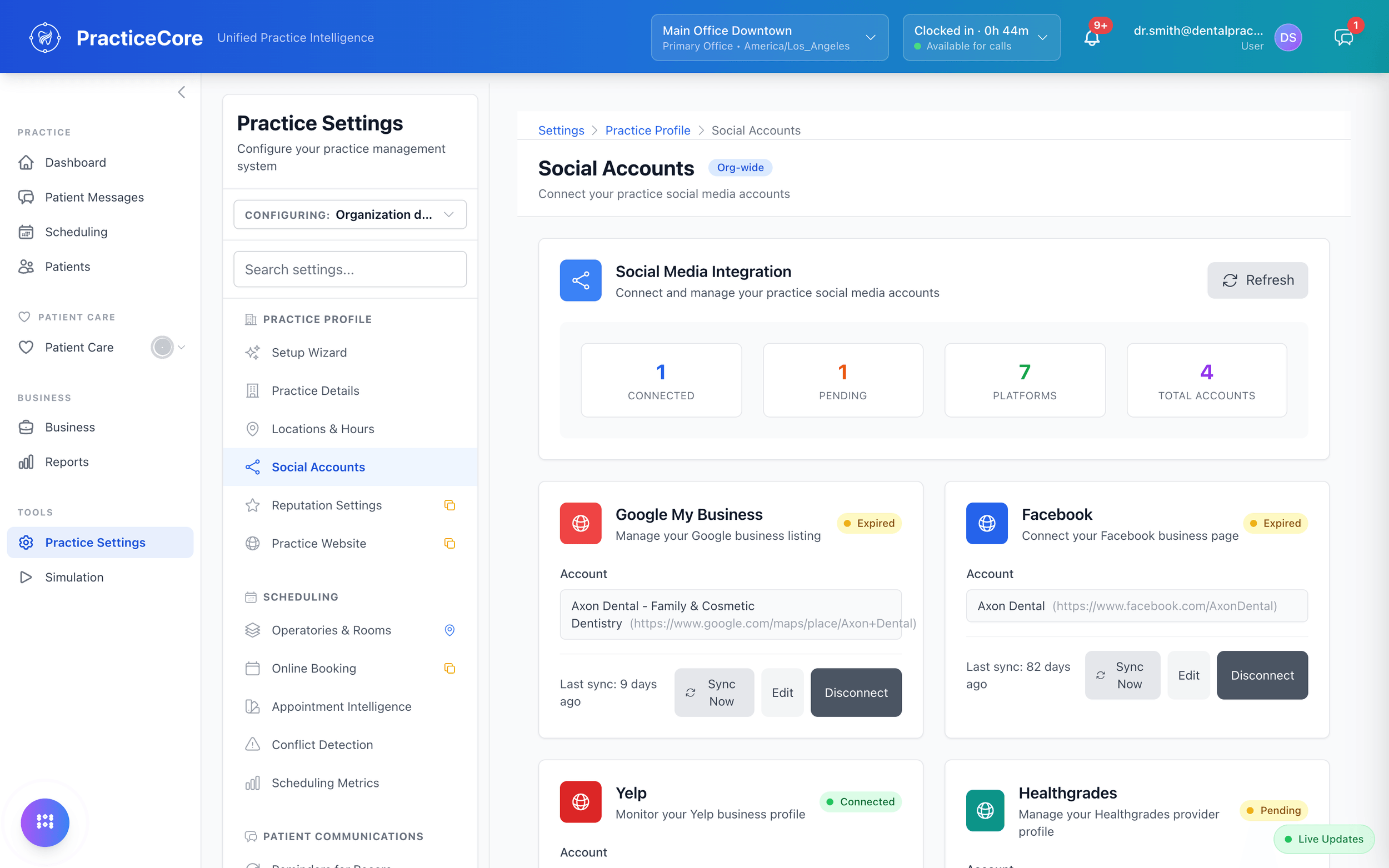
Google, Facebook, Yelp and Healthgrades, connected.
The practice's listings and profiles connected to the same place the practice is run, with sync status you can see.
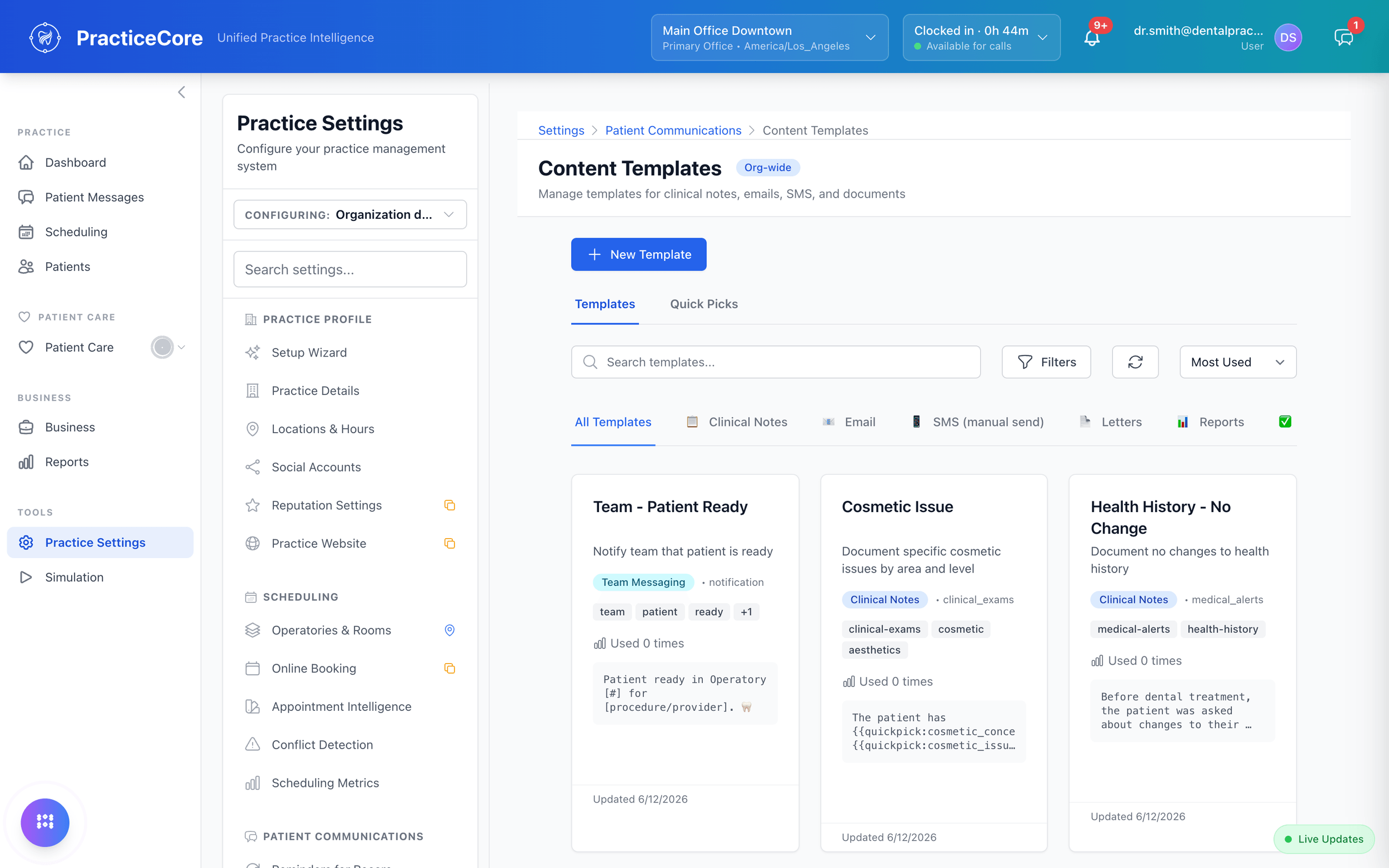
Templates for everything the practice writes.
Clinical notes, emails, SMS, letters, consent forms, referrals and prescriptions as templates with variables and quick picks, so the words the practice sends are consistent.
Security you can show an auditor.
Roles and permissions, down to the action.
Every role is a set of named permissions: read imaging, upload images, sign a note, post a payment. System roles ship locked; add your own for the way your practice divides the work.
Read the security overview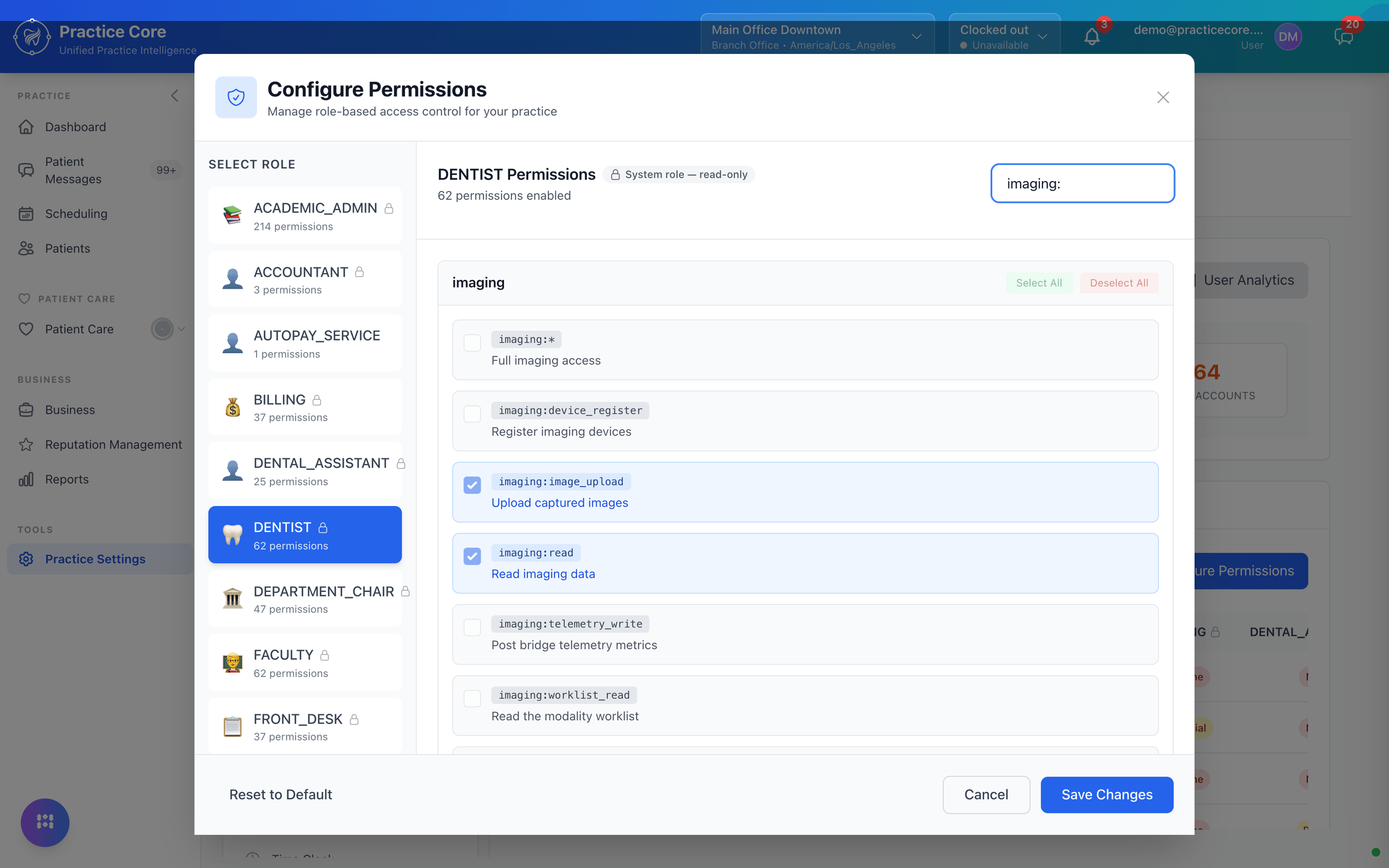
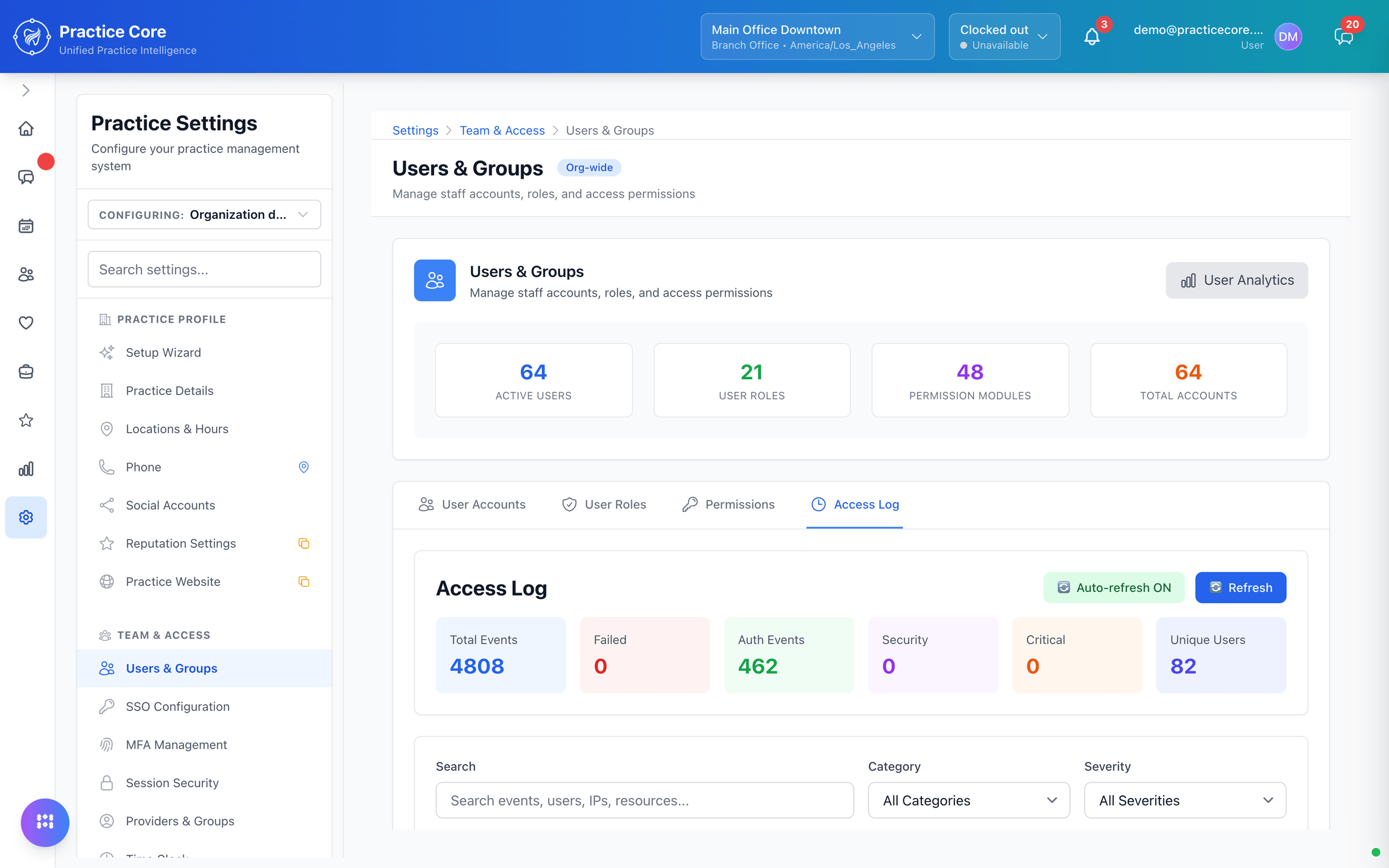
Every action, logged.
Sign-ins, chart entries, payments, appointments and system events, each with who, when and the outcome. Filter by category or severity, and search by user or resource.
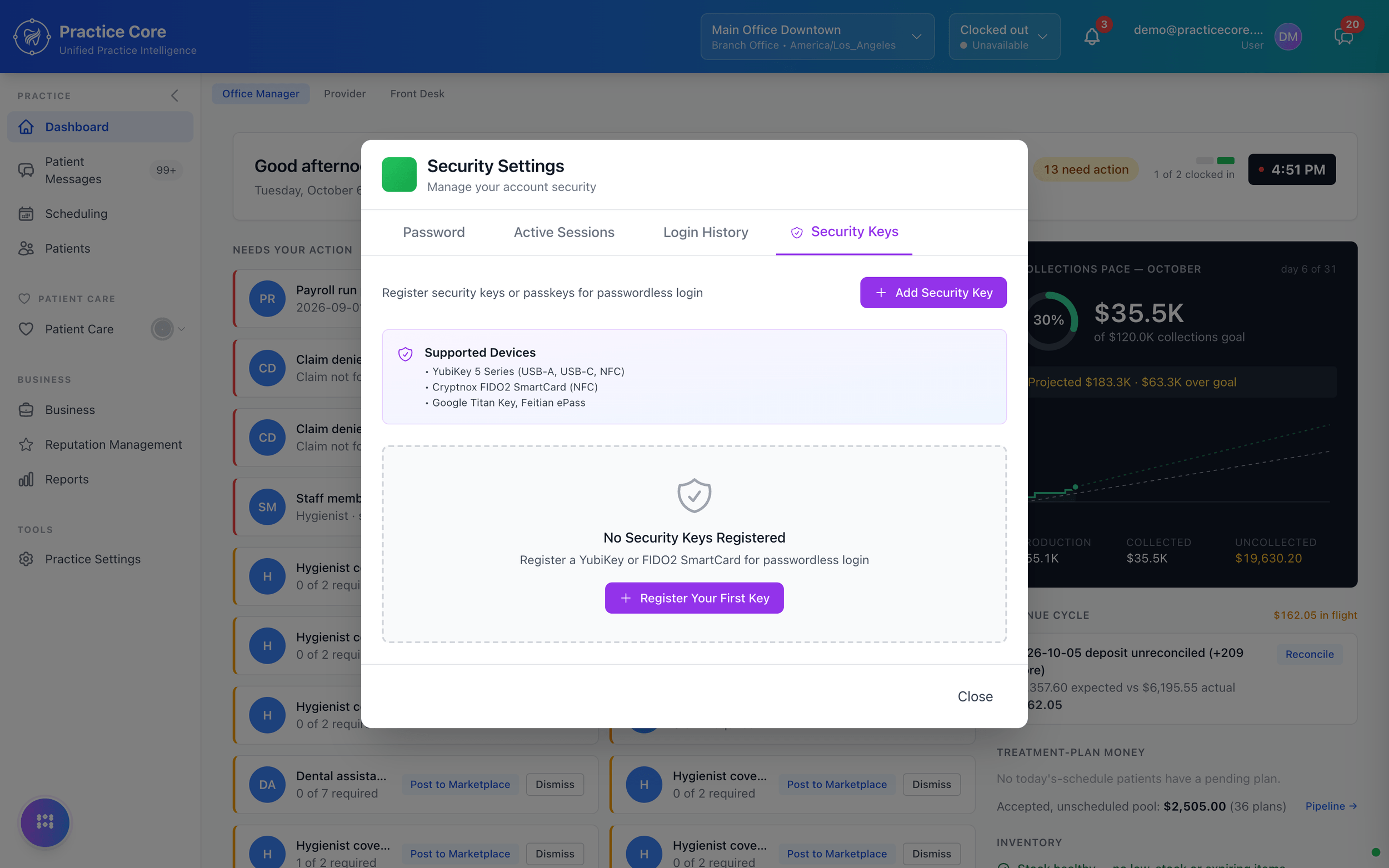
Sign in without a password.
Register a security key or a passkey and sign in with it. Single sign-on, multi-factor rules and session limits are set per practice, in the same settings.
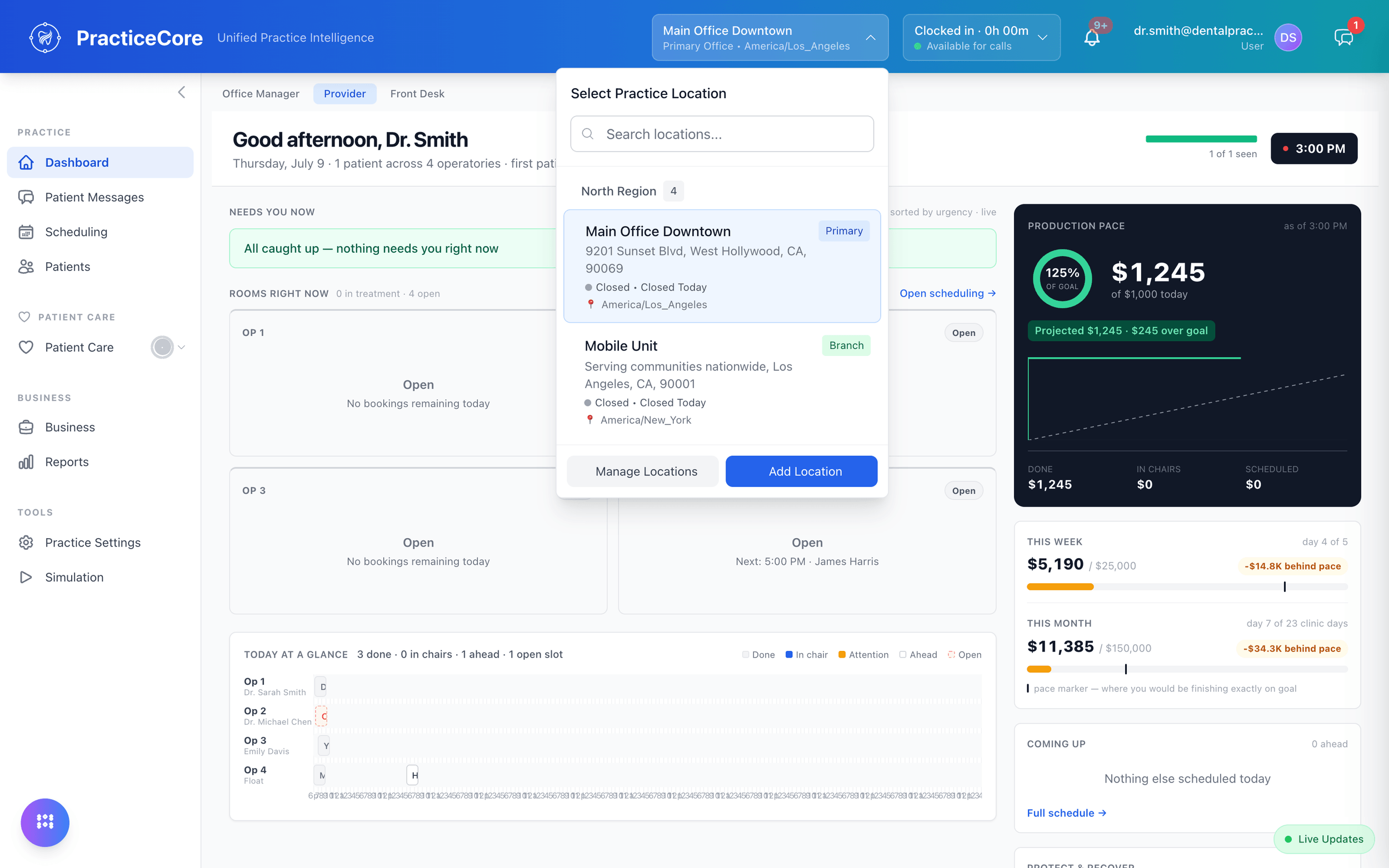
Every location, one system.
Regions, locations, operatories, providers and staff managed in one place, with role-based access on every screen.
What the platform includes.
Reports you build
Seventy-four built in, all customizable, plus the pivot and tabular builder. Scheduled and emailed.
Real-time
Dashboards and reports update as the practice works, not overnight.
A general ledger
Journal, accounts, periods and a trial balance, tied out against what the practice actually did.
Access control
Named permissions per role, passwordless sign-in, single sign-on, and a log of every action.
The AI office manager
Ask it a question about the practice, or ask it to do something. Actions stay human-approved.
Documentation that keeps up
The help inside the product is regenerated from the live product, so it never describes a screen you no longer have.
Open data
Export at any time in open formats. No lock-in.
Self-host option
The whole stack on your hardware with one command. We support your IT team.
Kick the tires properly.
Architecture questions welcome. Bring your IT person.