
Your team's day, in one app.
Schedule the team against coverage rules, see the gaps before the week starts, track time off, let everyone clock in and take breaks knowing the hours will be right, then run payroll from those hours, with provider pay configured the way you actually pay it. And a phone app for every staff member. Included, not a $7-per-employee add-on stacked on your PMS.
Clock in, take the break, get paid right.
Time and breaks tracked from a phone, flowing straight into the hours payroll runs on.

Staff scheduling, in the same system.
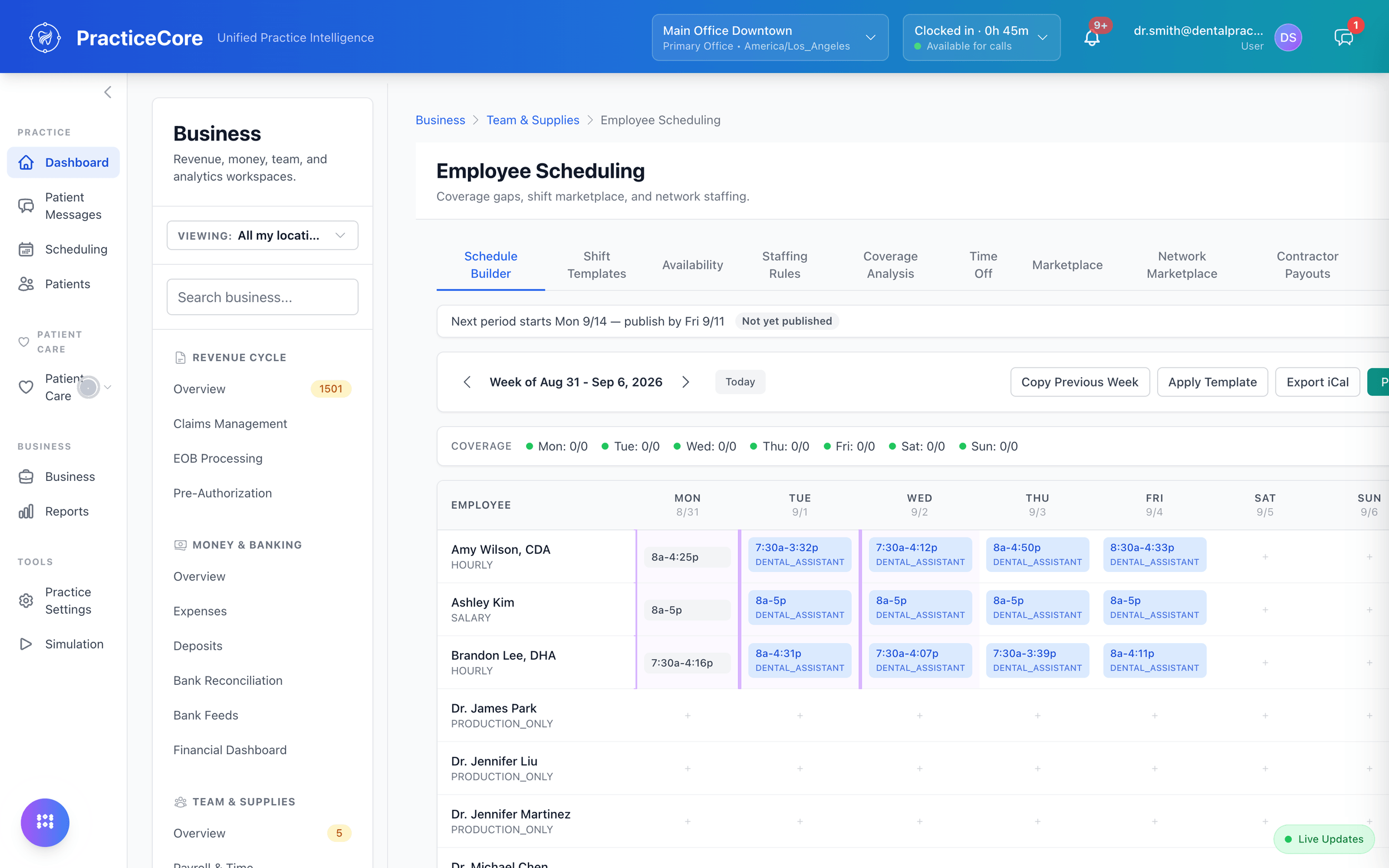
Shifts by role and location on a week grid. The people who run the practice are scheduled where the practice is run.

Time off, requested and approved.
Requests arrive with balances attached; approvals take a click; the schedule knows.

Payroll, run from the hours you already have.
Regular, off-cycle and bonus runs, with net pay reviewed before anything posts. History stays auditable.

Pay providers the way you actually pay them.
Production, collections, base plus a percentage, hourly, bonuses: compensation is configuration, per person, not a spreadsheet.

The team app.
Shifts, availability, time off and the day, for every staff member, included.

Staffing, before the week starts.
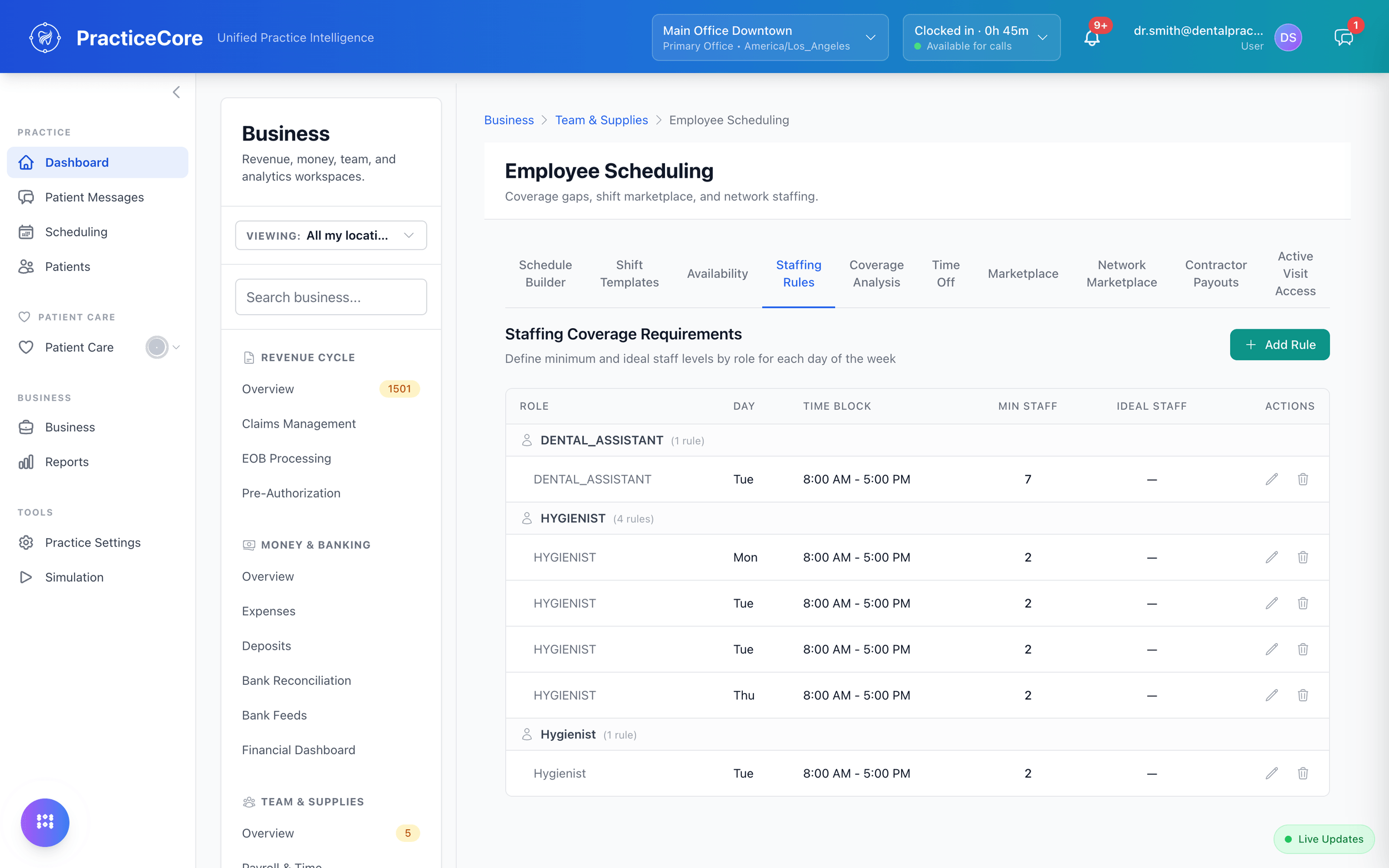
Rules for how many of whom, and when.
Minimum and ideal staff by role, day and time block. The schedule builder knows the rules, so a Tuesday with one hygienist shows up as a gap, not a surprise.
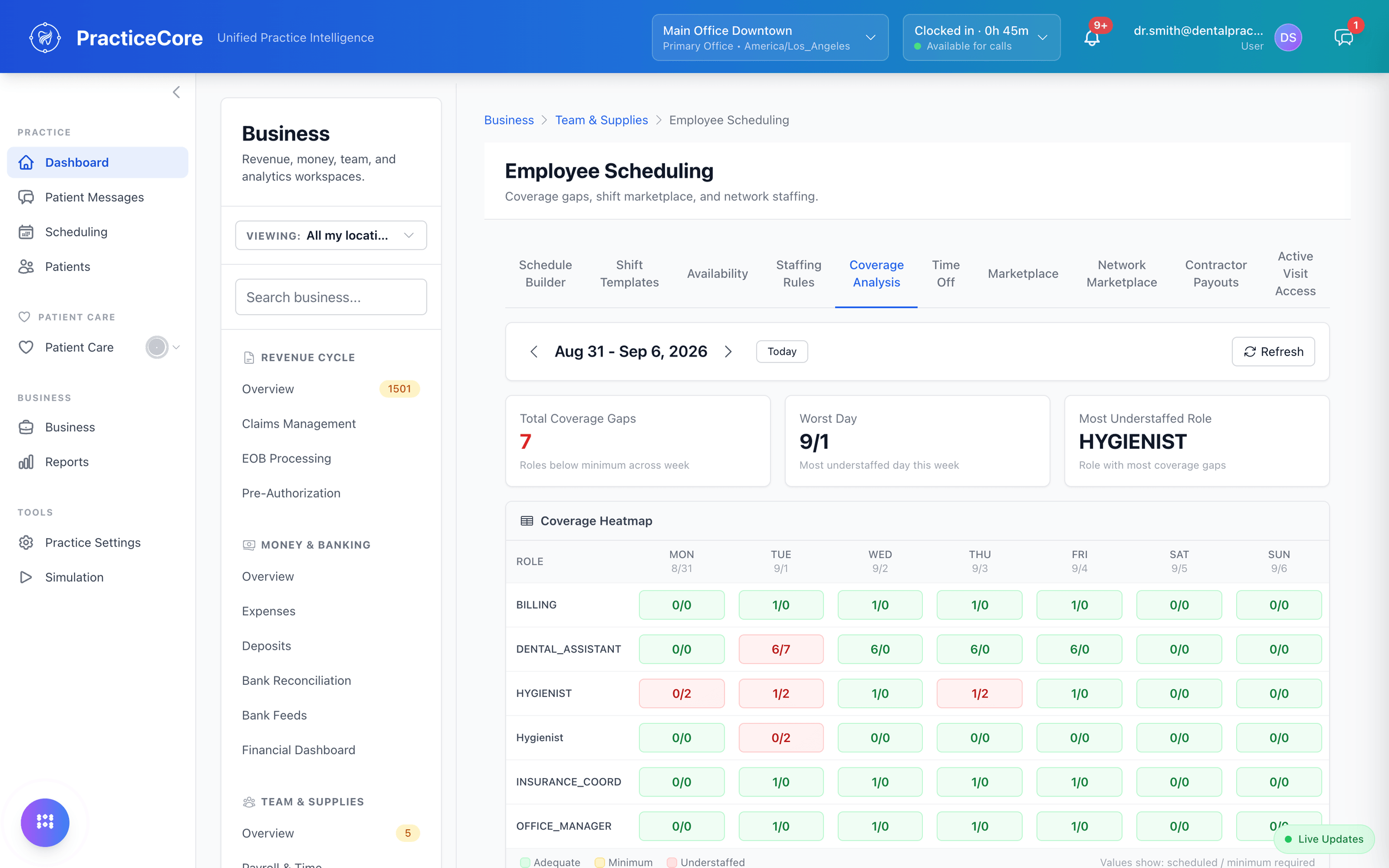
The coverage heatmap.
Scheduled against required, by role and day, with the understaffed cells in red and the worst day named. Post the gap to the shift marketplace from the same screen.
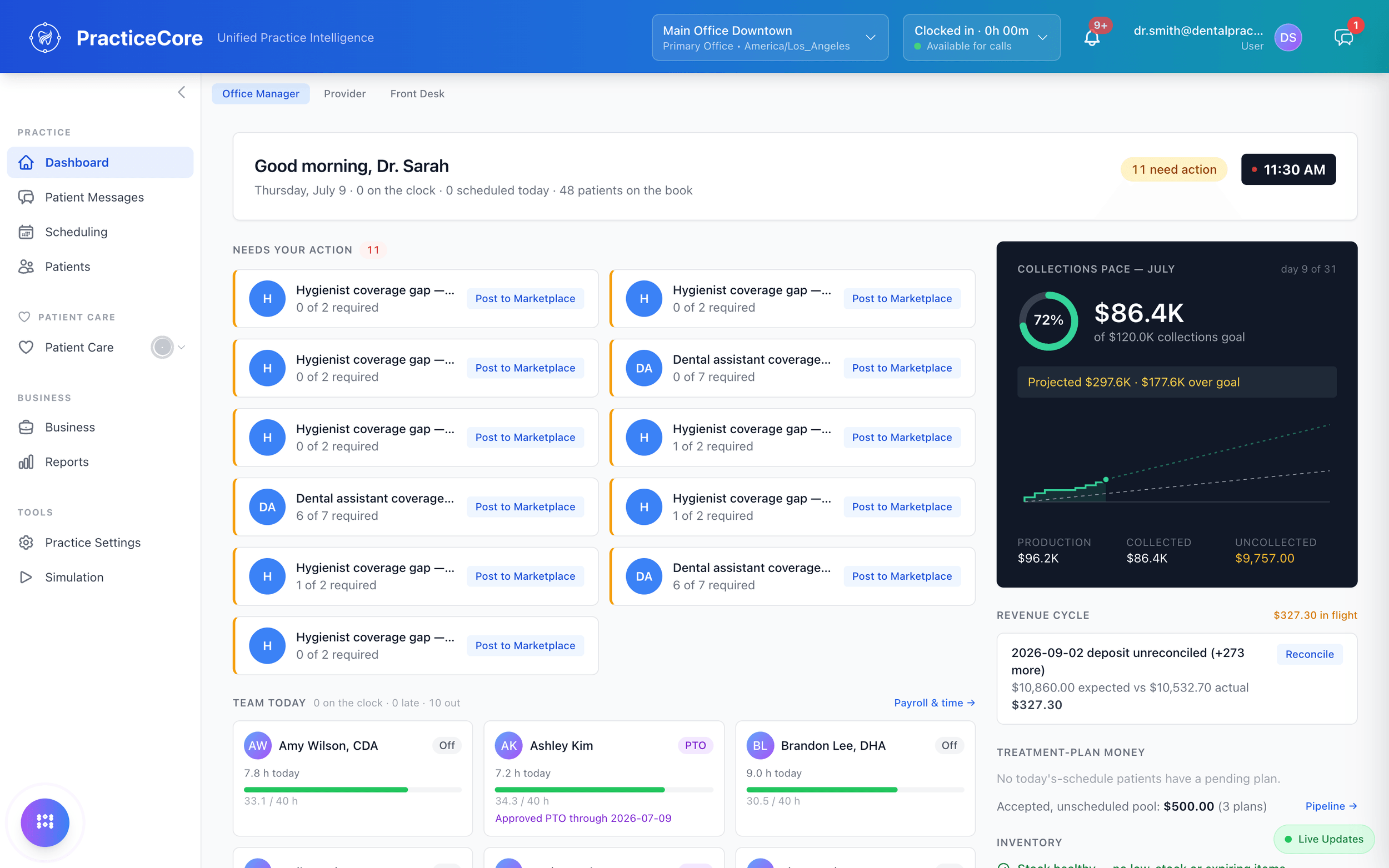
Gaps that need action, on the office manager's dashboard.
Coverage gaps by role, the team on the clock, and who is out today, on the same screen as collections pace and the revenue cycle.
The team app.
Sign notes and prescriptions from anywhere.
Chairside notes and prescriptions land in one pending queue the moment they are written. Review the content and sign with a tap, from the office, from home, between locations.
See how charting works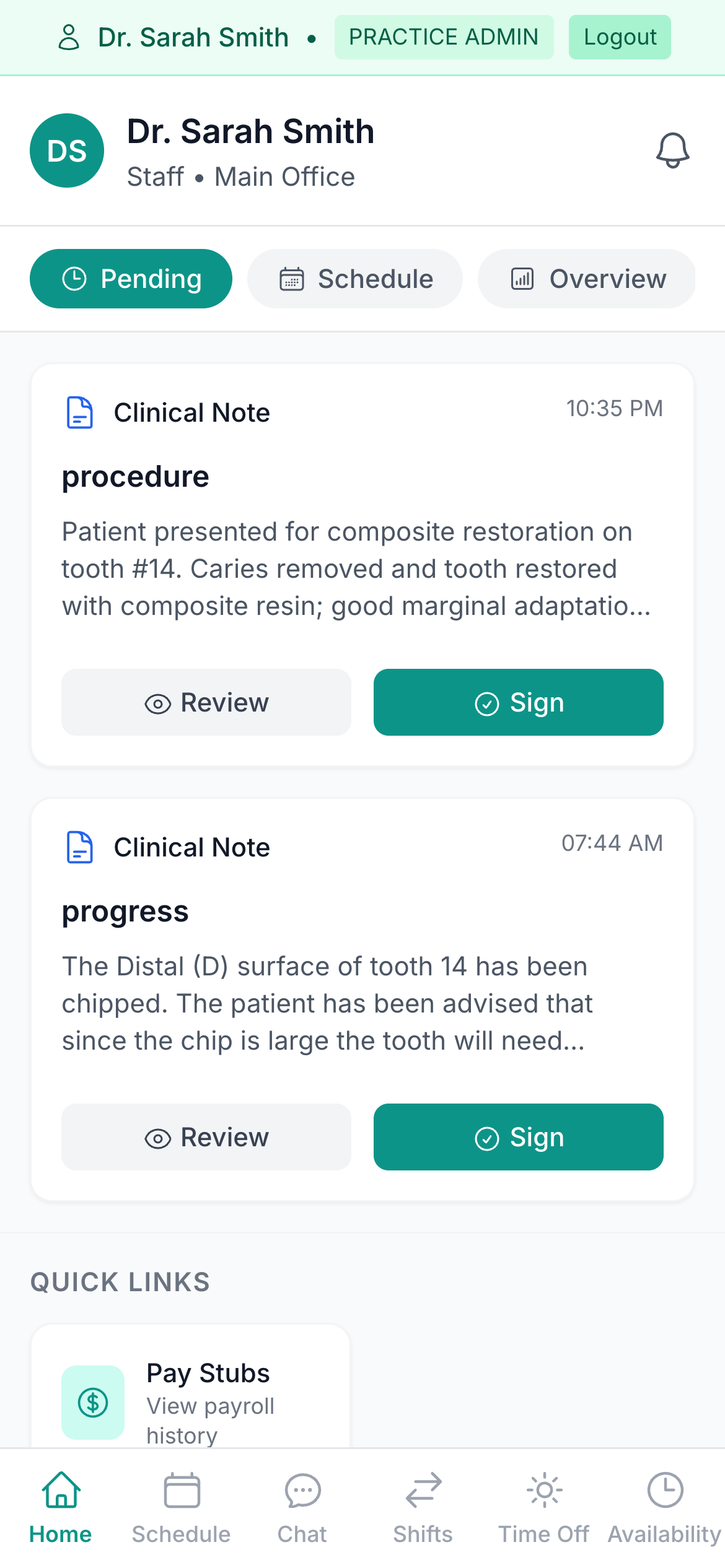
Stop texting about patients.
Group texts on personal phones are how PHI leaks. PracticeCore's built-in chat is HIPAA-aligned, encrypted, audited, and able to reference any patient chart inline, so the conversation and the record stay in one place.
Read the security overview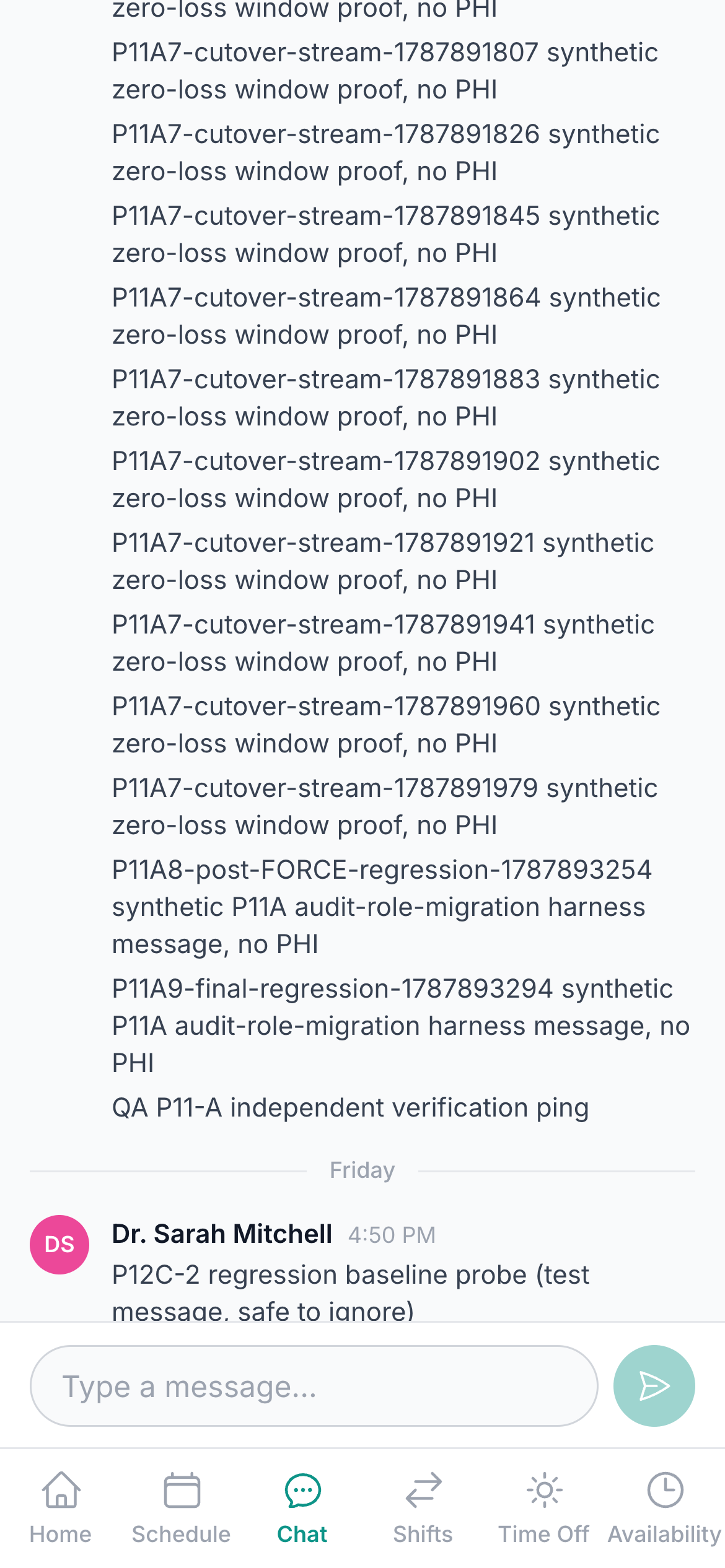
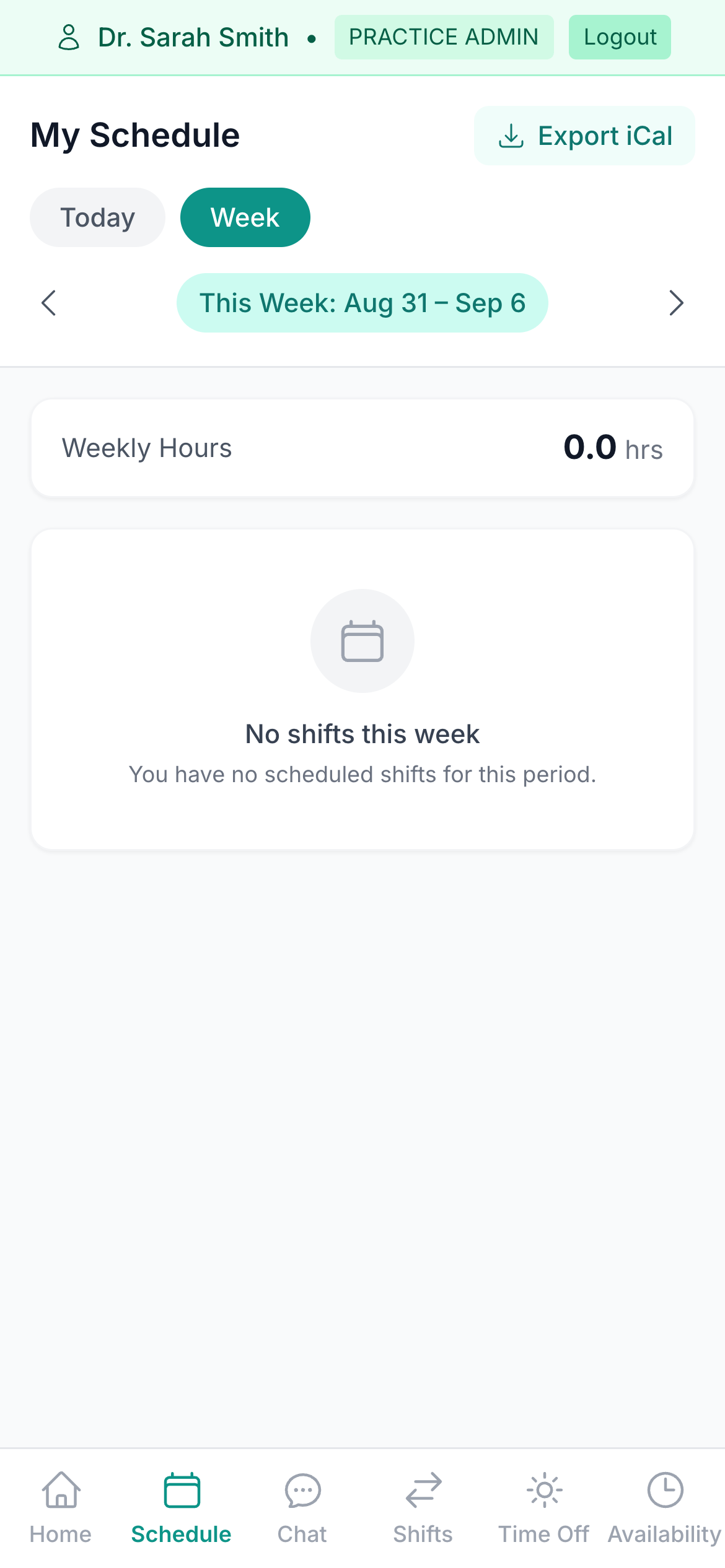
This week's shifts, at a glance.
Every shift for the week, confirmed, completed, in progress, with role and shift-type badges and the week's total hours added up automatically. No calling the office to ask when you are in.
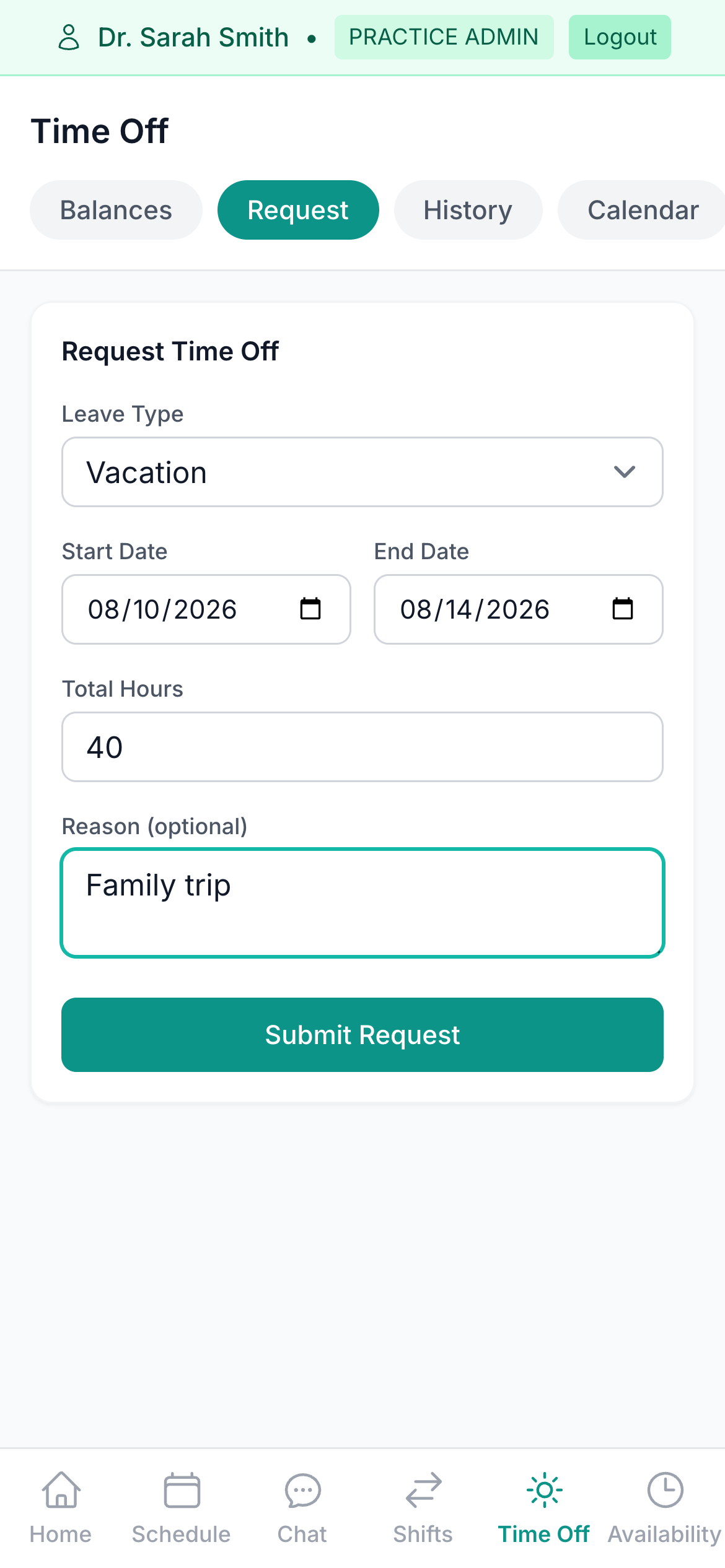
Time-off requests without the group text.
Pick a leave type, the dates and the hours. The request goes straight to the office manager, with balances and status visible in the app the whole way through.
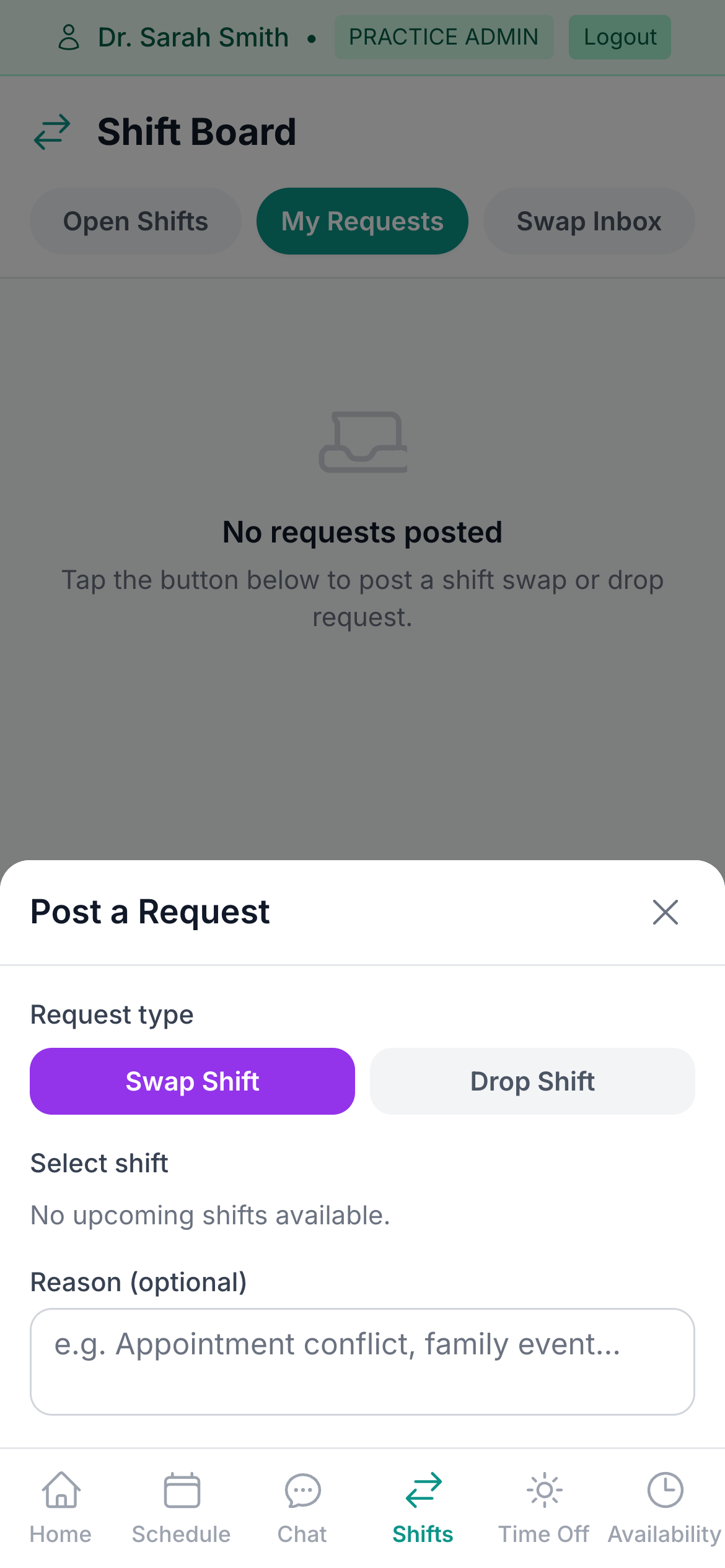
Can't make a shift? Post it.
Post a swap or a drop from the shift board: pick the shift, add a reason, and it is open for the team to pick up. No group text, no spreadsheet.
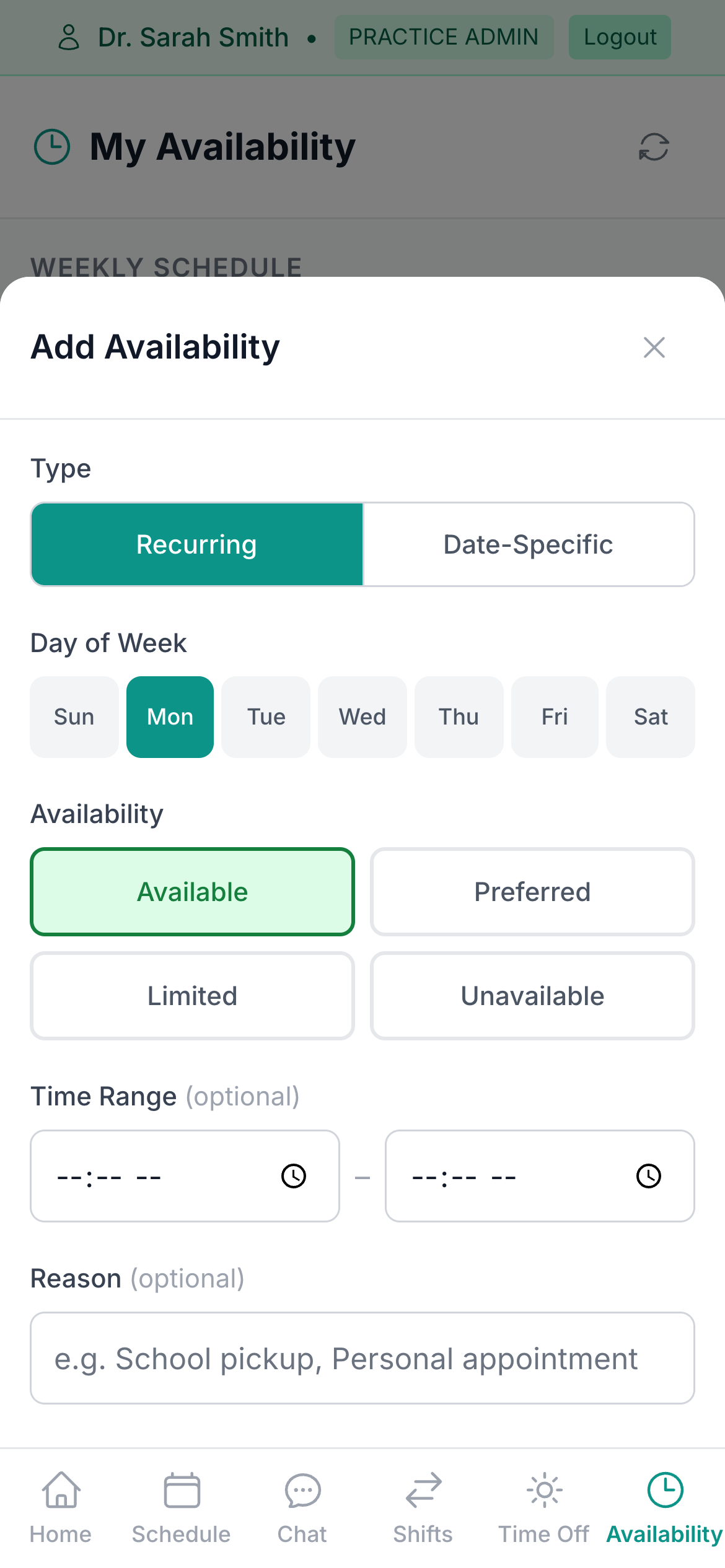
Tell the schedule when you're free.
Set a recurring weekly pattern or a one-off date override, Available, Preferred, Limited or Unavailable, so whoever builds the schedule already knows before they start.
The staff stack, absorbed.
Time clock and breaks
Clock in and out from the app, take the break, and the hours flow straight to payroll. No separate time-tracking subscription.
Payroll from real hours
Regular, off-cycle and bonus runs, reviewed before they post, with an auditable history.
Compensation as configuration
Production, collections, base plus a percentage, hourly, bonuses: set per person, not kept in a spreadsheet.
Shift marketplace
Post an open shift to the team, or to the network of outside workers, and track the engagement.
Pay visibility
Staff see the running pay period, hours and what lands on payday, without asking the office manager.
Prescriptions, signed on the same queue
A prescription written in the chart waits in the same pending list as the notes. Sign it and it is on its way to the pharmacy.
Give your team the app.
Included for every staff member. No per-seat anything.